Tech4cloud

Technology to cloud

Menu
Skip to content
  • Home
  • Google Cloud
  • Microsoft Cloud
    • Azure
  • Office 365
    • Office 365 – Admin Stuff
    • Office 365 – End User Stuff
    • office 365 – PowerShell
  • Google Workspace
    • Gmail
    • Calendar
    • Contacts
    • Drive
    • Groups
    • Google Workspace admin
      • GAM
  • Mail Migration
    • O365 Migration
    • GW Migration
    • Watchpoints
  • Mobile
    • Android
    • IOS
  • PDF Tool
    • PDF Merge
    • Crop PDF
  • About Us
    • Contact US
    • Disclaimer
    • Privacy Policy

Daily Archives: August 17, 2026

17
Aug

Secure Your Account: Easy Self-Service Multi-Factor Authentication Setup

Posted by Sharma

The user can independently configure MFA by following these steps:

1.  Log in to portal.office.com.
2.  Open a new tab in the same browser and go to https://aka.ms/mfasetup.
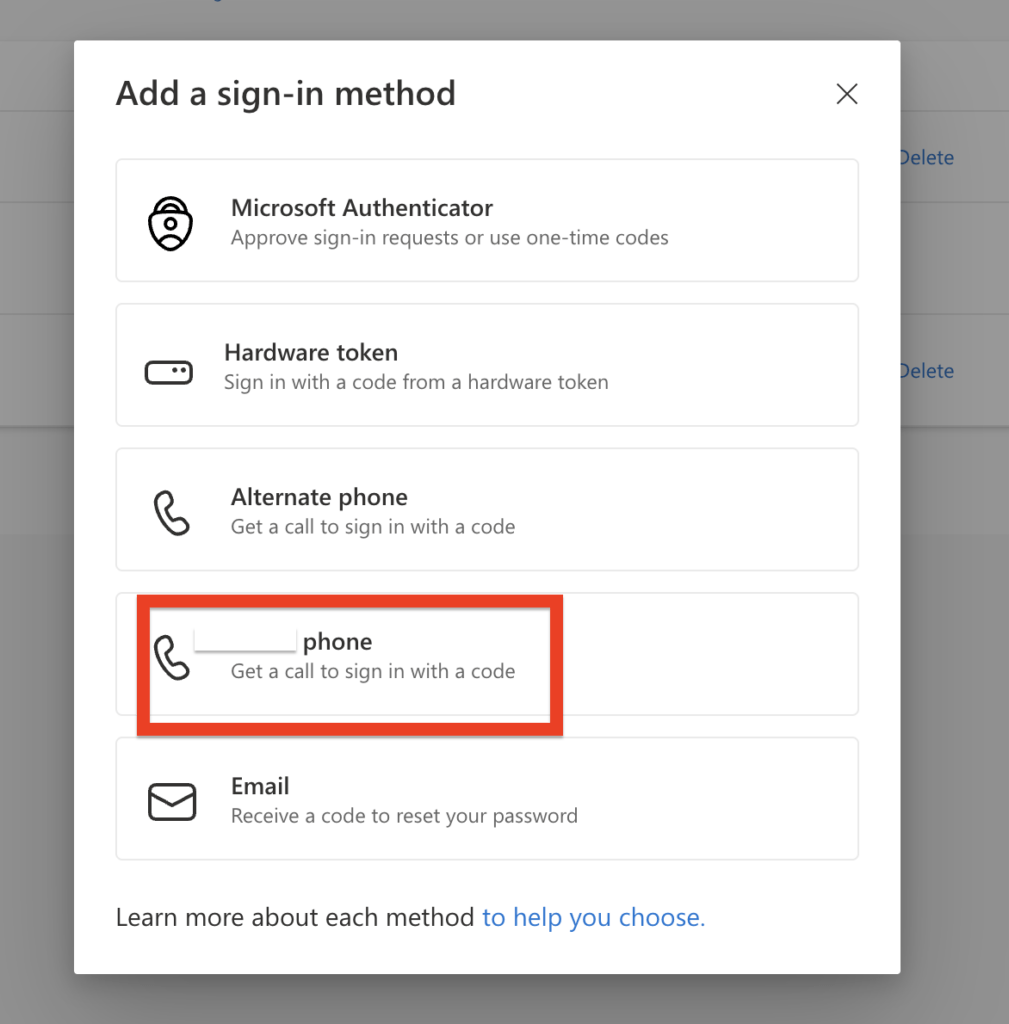
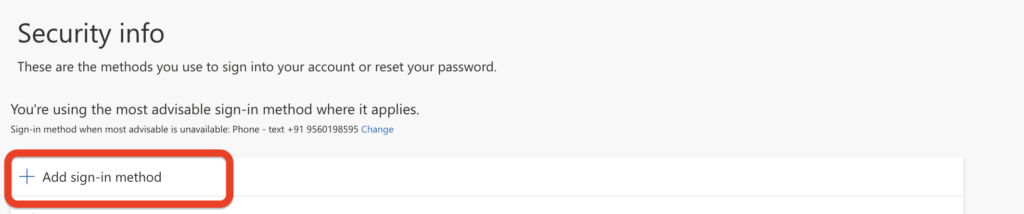
3.  Click Add sign-in method and select Phone.

4.  Select your country code and enter your mobile number.
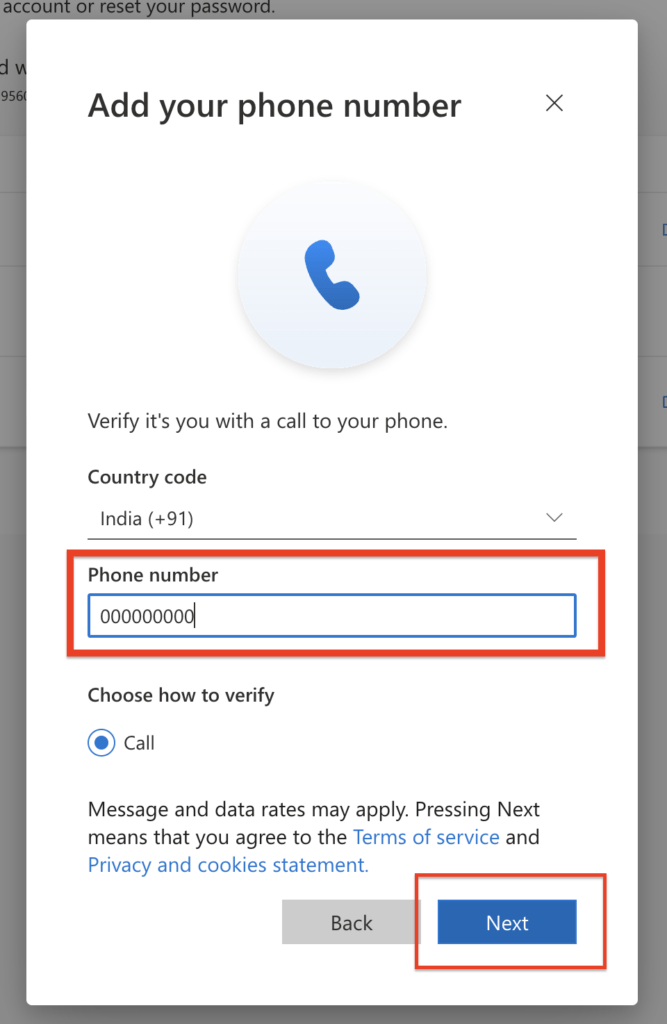

5.  Choose either Call me or Text me a code, then click Next to verify.
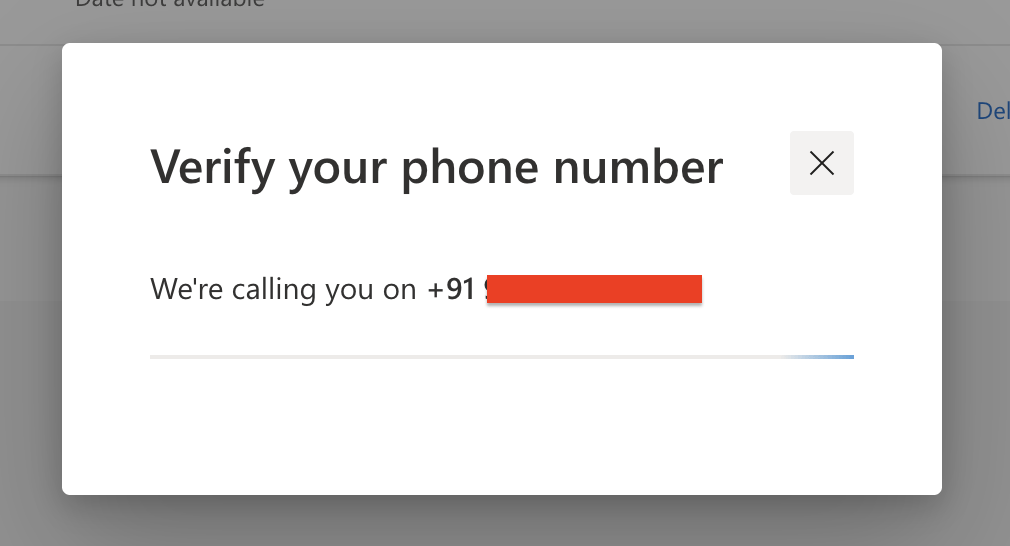

6.  Enter the OTP received on your mobile device via call or SMS and complete the process.

Recommended: Setting up Microsoft Authenticator as a Backup
It is highly recommended to configure a backup verification method. The user can add the Microsoft Authenticator app by following these steps:

1.  Log in to portal.office.com.
2.  Open a new tab in the same browser and go to https://aka.ms/mfasetup.
3.  Click Add sign-in method and select Authenticator app.
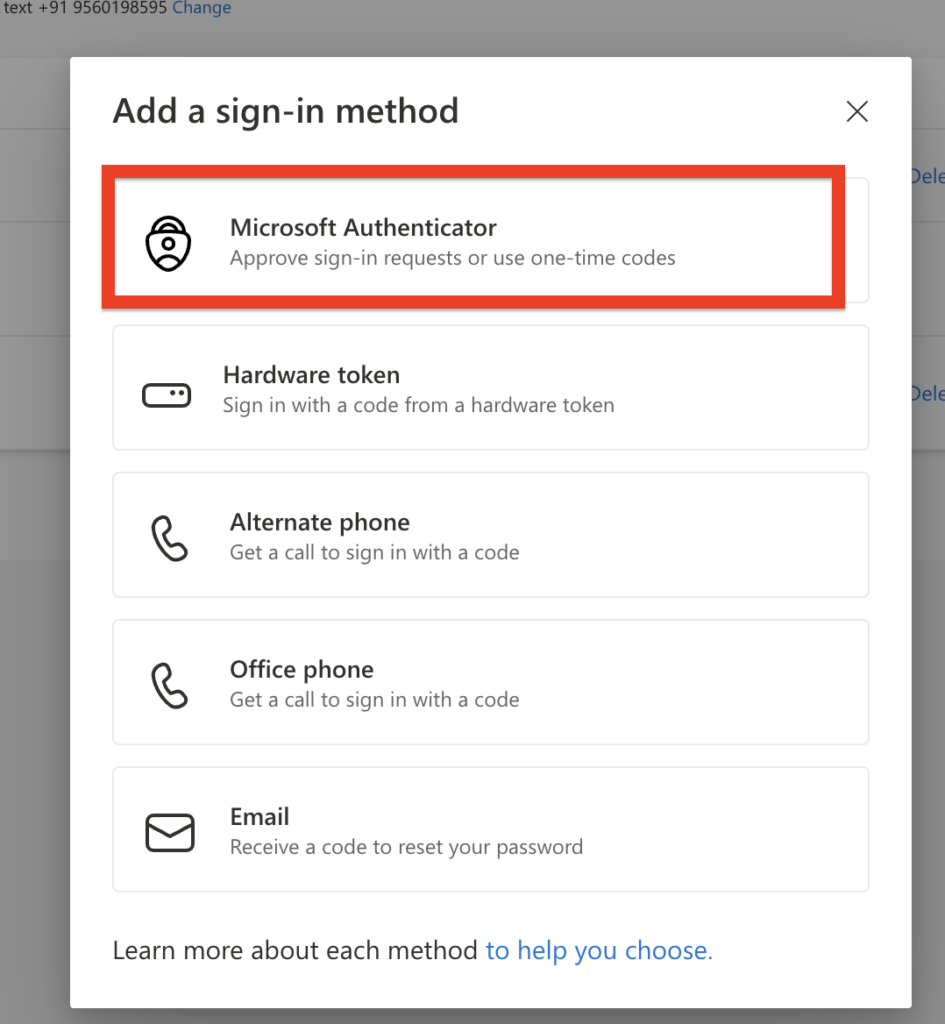

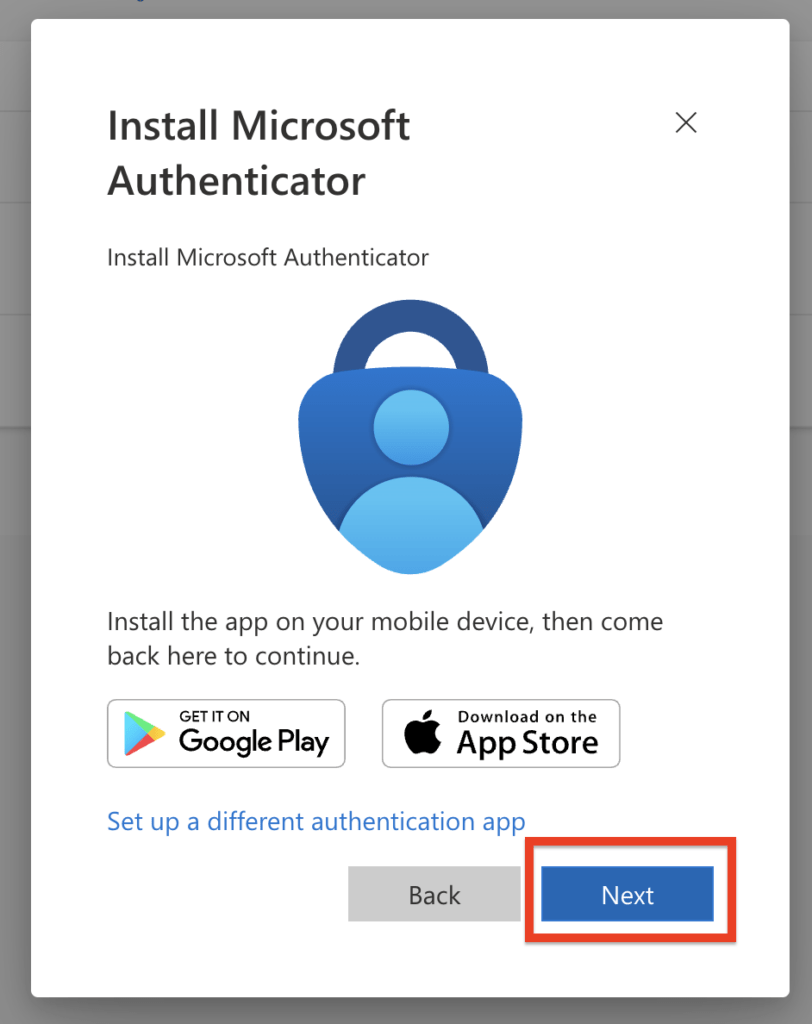
4.  Download the Microsoft Authenticator app on your mobile device using the links below and click Next:
      – Android: https://go.microsoft.com/fwlink/p/?linkid=2168850
      – IOS: https://go.microsoft.com/fwlink/p/?linkid=2168643

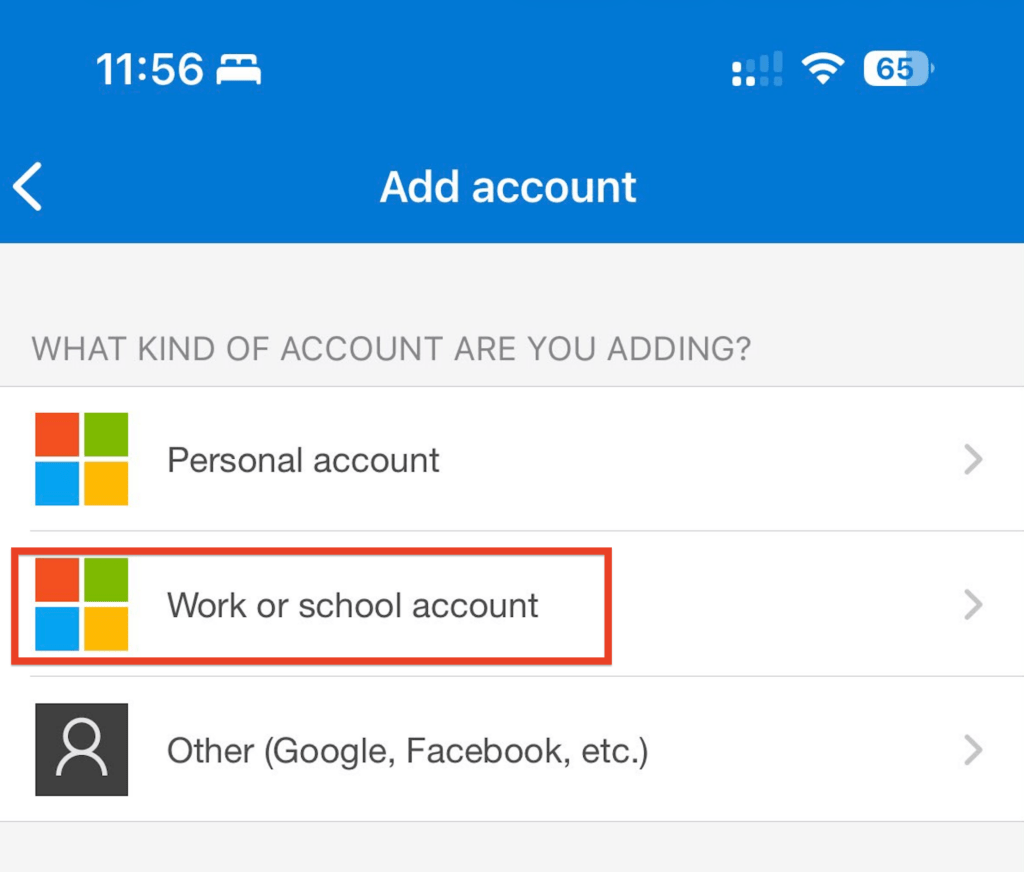
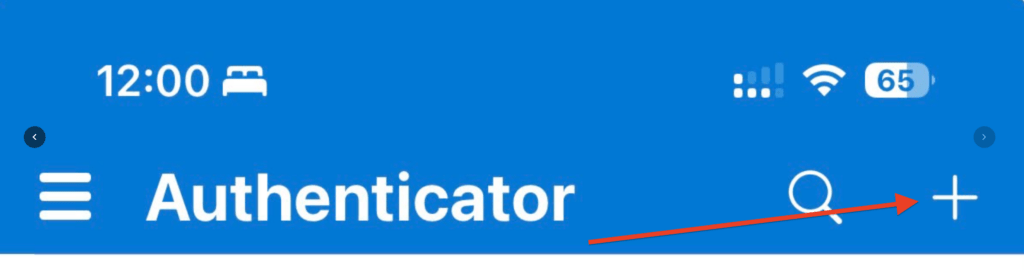
5.  Open the app on Mobile, tap the + icon, and select Work or school account.

6.  On your computer screen, click Next until a QR code appears. Scan this code using the Authenticator app.
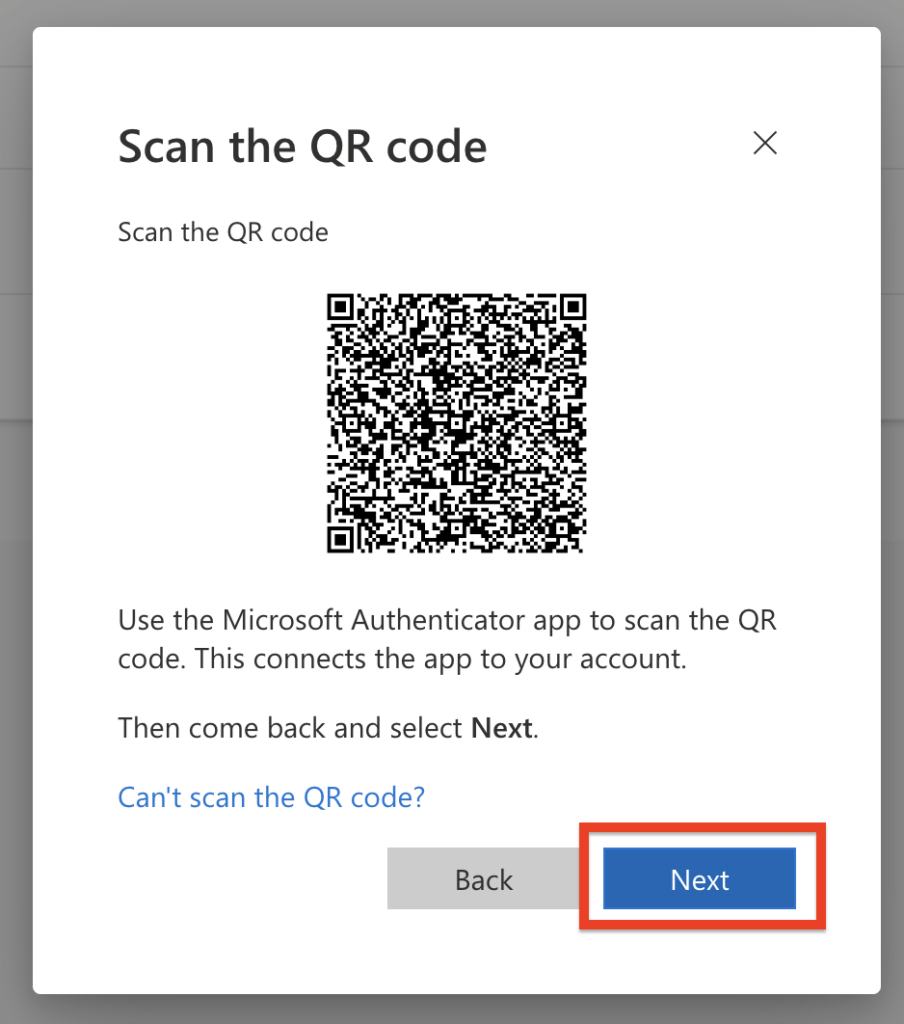

7.  Click Next on your computer. A two-digit number will be displayed; enter this number into the prompt on your mobile app (swipe down on your phone notifications if the prompt does not automatically appear).
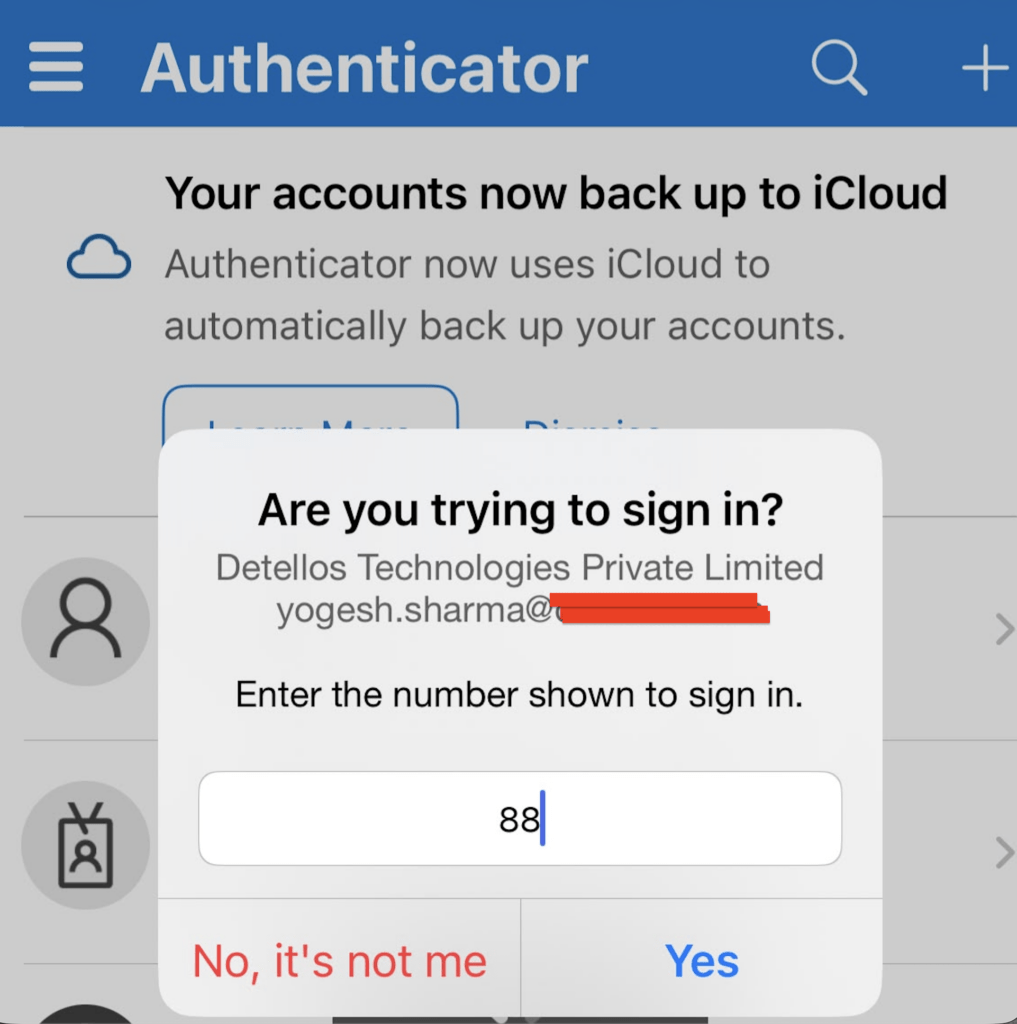

8.  Click Yes to approve the request to finalize the setup.

Note: The user can still access their account via internet-based notifications or a 6-digit verification code from the app if mobile network coverage is unavailable.

Share this:

  • Tweet

Like this:

Like Loading…
Posted in Android, Home, IOS, Mobile, Office 365, Office 365 - End User Stuff | Tagged Account Security, MFA, Microsoft 365

Recent Posts

  • Secure Your Account: Easy Self-Service Multi-Factor Authentication Setup
  • M365 user Enforce Multi-Factor Authentication (MFA)
  • Enable 2-Step Verification GWS-Gmail Users (MFA)
  • How to Fix M365 SSO Login Error in Federated Domain
  • Complete Guide to Exporting SMTP Addresses from Microsoft 365

Recent Comments

    Archives

    • August 2026
    • June 2026
    • April 2024
    • July 2023
    • October 2021
    • May 2018
    • May 2017
    • April 2017
    • February 2017

    Categories

    • Android
    • Calendar
    • Deprecated Features
    • Gmail
    • Google Cloud
    • Google updates
    • Google Workspace
    • Google Workspace admin
    • GW Migration
    • Home
    • IOS
    • Mail Migration
    • Microsoft
    • Microsoft Cloud
    • Mobile
    • Mobile Device
    • O365 Migration
    • Office 365
    • Office 365 – Admin Stuff
    • Office 365 – End User Stuff
    • office 365 – PowerShell
    • Uncategorized
    • Watchpoints

    Meta

    • Register
    • Log in
    • Entries feed
    • Comments feed
    • WordPress.org
    August 2026
    M T W T F S S
     12
    3456789
    10111213141516
    17181920212223
    24252627282930
    31  
    « Jun    
    • Secure Your Account: Easy Self-Service Multi-Factor Authentication Setup
    • M365 user Enforce Multi-Factor Authentication (MFA)
    • Enable 2-Step Verification GWS-Gmail Users (MFA)
    • How to Fix M365 SSO Login Error in Federated Domain
    • Complete Guide to Exporting SMTP Addresses from Microsoft 365
    Proudly powered by WordPress | Theme bluesip by Mkhuda
    Loading Comments...
    %d